Posts

Setting up a Mail server using Roundcube - Part-3 - Centos 7

Image
    The previous article shows how to configure Postfix and Dovecot for our mail server but we also need a web interface to access our mail server for handling the mail accounts. A mail client helps us to acquire this requirement, Roundcubemail .     Roundcube web mail is a PHP based application that integrate with SMTP and IMAP servers. This open-source mail client helps to handle the mail accounts on browsers.     Since Roundcubemail is a PHP based application the server should be a LAMP configured server. For LAMP installation, For Centos, Click here for RPM based machines. For Ubuntu, Click here for Debian based machines. Installing Roundcubemail,     Download the roundcube open-source package from their official site Roundcube.net $ wget https://github.com/roundcube/roundcubemail/releases/download/1.2.7/roundcubemail-1.2.7-complete.tar.gz Extract and rename the file, $ tar -xzf roundcube...
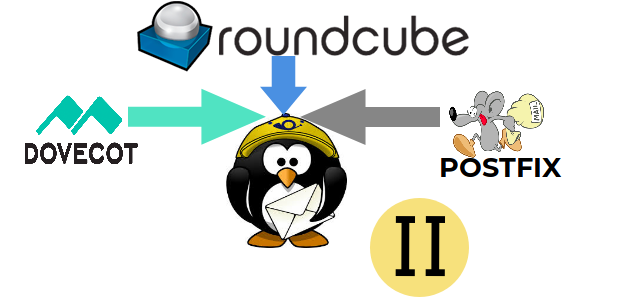
Setting up a Mail server using Roundcube - Part-2 - Centos 7

Image
    On the previous article we have seen how to configure postfix configuration for a mail server. In this second part we will be seeing how to configure and integrate dovecot to handle mail box.     Dovecot is an open-source Internet Message Access Protocol (IMAP) and Post Office Protocol version 3 (POP3) server application. It retrieves emails from Postfix and delivers them to the relevant mailbox on the mail server.     The main config file is /etc/dovecot/dovecot.conf , all other related files are included in the main config file. To integrate IMAP with postfix we have already declared the parameters on /etc/postfix/main.cf files on the Part-I article , smtpd_sasl_auth_enable = yes smtpd_sasl_security_options = noanonymous smtpd_sasl_local_domain = $myhostname smtpd_recipient_restrictions = permit_sasl_authenticated,permit_mynetworks, reject_unauth_destination broken_sasl_auth_clients = yes smtpd_sasl_type = dovecot smtpd...

Setting up a Mail server using Roundcube - Part-1 - Centos 7

Image
    Do you want to setup a dedicated mail server for your website, Our mail server depends on three major criteria, Postfix (SMTP) Dovecot (IMAP) Roundcube (Mail Client)     This article will show how to install and configure the above criteria for setting up a mail server for a domain. Postfix:     Postfix is a mail transfer agent (MTA) that delivers electronic mail across globe. It is also called as an SMTP server. Postifx can be integrated with spamfilters, dovecot and  complex SMTP-level access-policies     To install postfix in a rpm based machines run the below command, $ yum install postfix     The default path of the config files are found under this directory /etc/postfix.     The main.cf file is the core of your mail server configuration. The default main.cf file lists only a portion of the nearly 300 Postfix parameters. Most Postfix parameters do not n...

Opencart Installation - Building a E-Commerce site - Linux

Image
    Opencart is an e-commerce building application based on php. It is an open software for setting up shopping sites,etc..,. It is an online store management system. It is also available in FTP server or we can configure it and run from our own servers.     In this article we are going to see how to install and run Opencart application in our system for building our own e-commerce site.     The prerequisite requirement to run Opencart application is the server should be a LAMP configured server, since it is a PHP based application.     If your system is already a LAMP configured one you are good to go if not you can check the below link for LAMP installation. For LAMP installation, RPM based machines: Click here for RPM based machines. Debian based machines: Click here for Debian based machines. Installing Opencart:     Download the latest opencart opensource package from their official...

Creating and Running Virtual Machines in LINUX - KVM - GUI Mode

Image
    In our previous article we have seen how to create and run virtual machines from command mode. In this article we will be seeing how to create and run virtual machines through GUI.      The application we are using here is Virtual Manager collectively called as virt-manager .      The Virt-manager application is a desktop user interface for managing virtual machines through libvirt. It manages KVM VMs, Xen and LXC (linux containers). Virt-manager presents a summary view of running domains, their live performance & resource utilization statistics. The  Wizard enables the creation of new domains, and configuration & adjustment of a domain’s resource allocation & virtual hardware. Network Install:       Creating a VM using network install requires an internet connection to get the iso image according to the requirement. Step 1: Launch the Virtual Manager that you have...

Blog Top Sites

Blog Log